

Executive Summary (Quick Answer)
An unlimited money mod is not automatically unsafe, but it is not automatically safe either.
The biggest security risk usually comes from where the APK is downloaded, not from the unlimited currency feature itself. Some modified APKs are clean, while others may include unwanted advertising components, hidden trackers, excessive permissions, or even malware.
Before installing any unofficial APK, you should:
- Download only from websites that explain what has been modified.
- Check the file with multiple malware scanners.
- Review the permissions the app requests.
- Verify that the version number matches the advertised release.
- Avoid APKs that ask for unnecessary permissions or redirect through suspicious download pages.
If you decide to use a modified APK, treat it like installing software from an unknown developer: verify it first instead of assuming it’s safe.
What Is an Unlimited Money Mod?
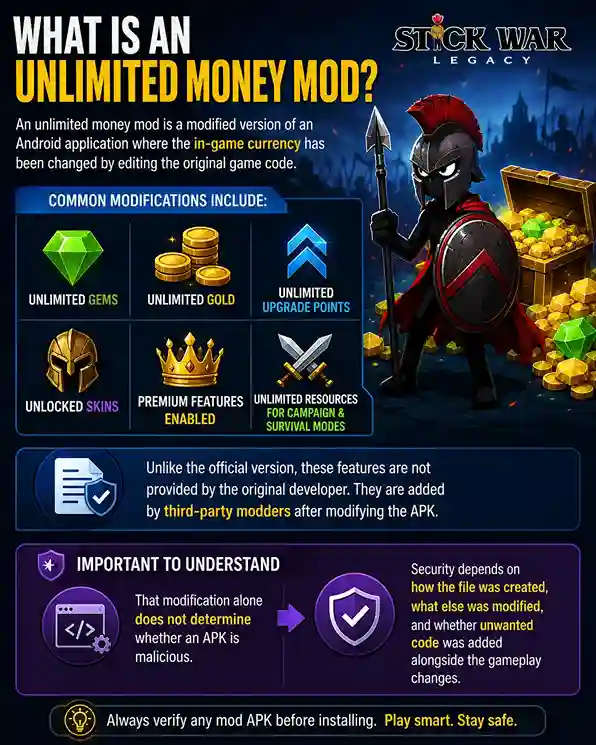
An unlimited money mod is a modified version of an Android application where the in-game currency has been changed by editing the original game code.
For Stick War Legacy Mod, these modifications commonly include:
- Unlimited gems
- Unlimited gold
- Unlimited upgrade points
- Unlocked skins
- Premium features enabled
- Unlimited resources for campaign and survival modes
Unlike the official version, these features are not provided by the original developer. They are added by third-party modders after modifying the APK.
That modification alone does not determine whether an APK is malicious. Security depends on how the file was created, what else was modified, and whether unwanted code was added alongside the gameplay changes.
Is It Safe?
Short Answer: Sometimes.
A well-made mod APK may work exactly as advertised without causing any problems. A poorly made APK can introduce privacy risks, intrusive advertising libraries, background services, or malicious code.
There is no universal answer because every APK is different — even when they claim to be the same version. This is why evaluating each APK individually is much safer than trusting the words “virus-free” or “100% safe.”
I’ve published a guide on how to verify if the Stick War Legacy Mod APK version you’re downloading is virus-free. You can read it out here: Does Stick War Legacy Mod contain a virus?
When an Unlimited Money Mod Becomes Risky
The gameplay modification itself is usually not the problem. The risks appear when additional code is added for purposes unrelated to the game. Examples include:
Hidden Advertising Frameworks
Some modified APKs aggressively display ads, create unwanted pop-ups, or install advertising SDKs that were never present in the official application.
Excessive Permissions
If a simple offline strategy game requests access to Contacts, SMS, Phone calls, Accessibility services, or Device administration, that deserves closer inspection.
Bundled Malware
Some APKs are repackaged with Trojans, Spyware, Downloaders, Cryptocurrency miners, or Remote access components. Although this is not common across every mod, it is common enough that verification should become part of every installation process.
Fake Download Pages
Many websites imitate legitimate download portals while delivering completely different APK files than advertised. Some even replace the download with another application entirely.
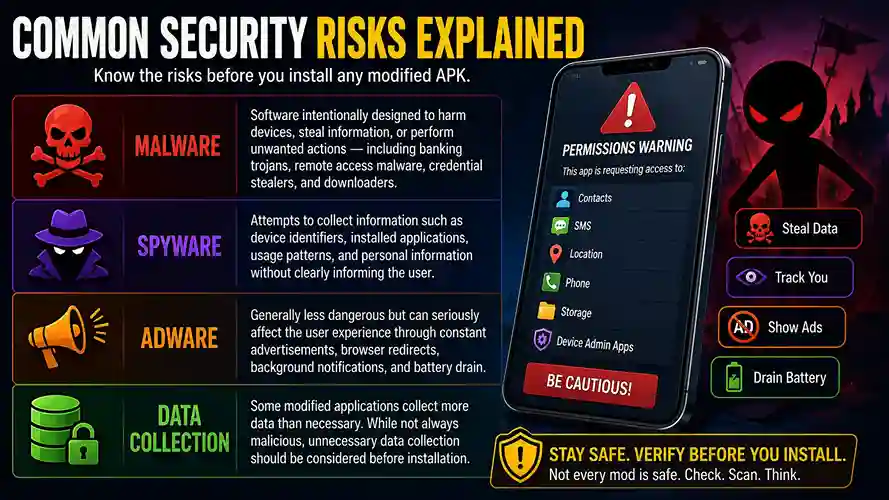
Common Security Risks Explained
| Risk Type | What It Involves |
|---|---|
| Malware | Software intentionally designed to harm devices, steal information, or perform unwanted actions — including banking trojans, remote access malware, credential stealers, and downloaders. |
| Spyware | Attempts to collect information such as device identifiers, installed applications, usage patterns, and personal information without clearly informing the user. |
| Adware | Generally less dangerous but can seriously affect the user experience through constant advertisements, browser redirects, background notifications, and battery drain. |
| Data Collection | Some modified applications collect more data than necessary. While not always malicious, unnecessary data collection should be considered before installation. |
Common Misconceptions About Stick War Legacy Money Mod
Many players assume all modified APKs are either completely safe or completely dangerous. In reality, neither extreme is accurate. Understanding the differences can help you make better decisions.
Every Money Mod Contains Malware
Not necessarily. A modification that unlocks unlimited gold or gems does not automatically include malicious code. Some APKs only modify gameplay values, while others may include additional advertising libraries, trackers, or malware. The only way to know is to evaluate the specific file rather than making assumptions.
VirusTotal Showing 0 Detections Means the APK Is 100% Safe
This is one of the most common misunderstandings. VirusTotal compares files against known malware signatures from many antivirus engines. While this is an excellent first step, it cannot guarantee that a file is completely safe. Newly created malware, heavily obfuscated code, or privacy-invasive behavior may not be detected immediately. A clean VirusTotal report should be viewed as one piece of evidence — not the final verdict.
Every Website Offering the Same Version Provides the Same APK
Different websites can distribute completely different APK files while advertising the same version number. One version may only modify in-game currency, while another could include additional code, altered permissions, or third-party advertising frameworks. Whenever possible, compare file hashes or verify the APK before installing it.
More Permissions Always Mean Malware
Not always. Some permissions have legitimate purposes depending on the Android version or game features. However, permissions should match the application’s functionality. An offline strategy game generally has little reason to request access to SMS messages, contacts, or phone calls. Unexpected permissions don’t automatically prove malicious intent, but they should prompt further investigation.
If Thousands of People Downloaded It, It Must Be Safe
Popularity is not a security guarantee. A widely shared APK can still contain unwanted code, and download counters can sometimes be misleading. Always rely on independent verification rather than download numbers or promotional claims.
How to Choose a Trustworthy Source
The source of an APK is often just as important as the APK itself. While no third-party website can guarantee complete safety, trustworthy sites tend to be transparent about what they publish and how they verify files.
Look for transparency
A reliable website should clearly explain which version is being offered, what modifications have been made, when the file was last updated, and whether the APK has been tested before publication. If basic information is missing, consider it a warning sign.
Review the website’s verification process
Quality websites don’t simply upload APKs — they explain how those files are reviewed. Look for evidence such as:
- Malware scanning
- Permission analysis
- Version verification
- Manual installation testing
- File integrity checks
A documented testing methodology demonstrates that the publisher has taken steps to evaluate the APK rather than reposting files without review.
Watch for misleading download pages
Some websites make it difficult to identify the real download button by surrounding it with advertisements or fake download links. Before downloading:
- Confirm you’re clicking the correct button.
- Check that the downloaded filename matches the advertised application.
- Avoid pages that repeatedly redirect you to unrelated websites.
Check update consistency
Trustworthy publishers usually keep their APK listings up to date when new game versions are released. They also correct outdated information rather than leaving obsolete downloads online indefinitely. A regularly maintained website is generally a better sign than one filled with outdated or inconsistent content.
Verify before you install
Even if the website appears trustworthy, perform your own checks before installing any APK. A few minutes spent reviewing permissions, scanning the file, and confirming the version can significantly reduce your risk.
Remember: trust should be earned through transparency and verification — not assumed because a website claims an APK is “100% safe.”
Red Flags That Should Make You Avoid an APK Immediately
Not every suspicious APK is malicious, but certain warning signs should make you pause before installing it. If you notice several of these together, it’s usually best to look for another source.
The version number doesn’t match the one advertised on the download page.
The APK requests unnecessary permissions, such as SMS, Contacts, Phone, or Accessibility, without a clear reason.
There is no explanation of what was modified, who tested the file, or when it was last updated.
The download page is filled with fake download buttons or redirects you to unrelated websites.
The file triggers multiple antivirus detections, especially from well-known security engines.
The APK filename or package name differs from the game you’re expecting to install.
The website provides no transparency, such as a changelog, verification process, or file details.
One warning sign doesn’t always mean an APK is unsafe, but multiple red flags together are a strong indication that you should avoid installing the file until you can verify its authenticity.
Safe vs Unsafe APK Comparison
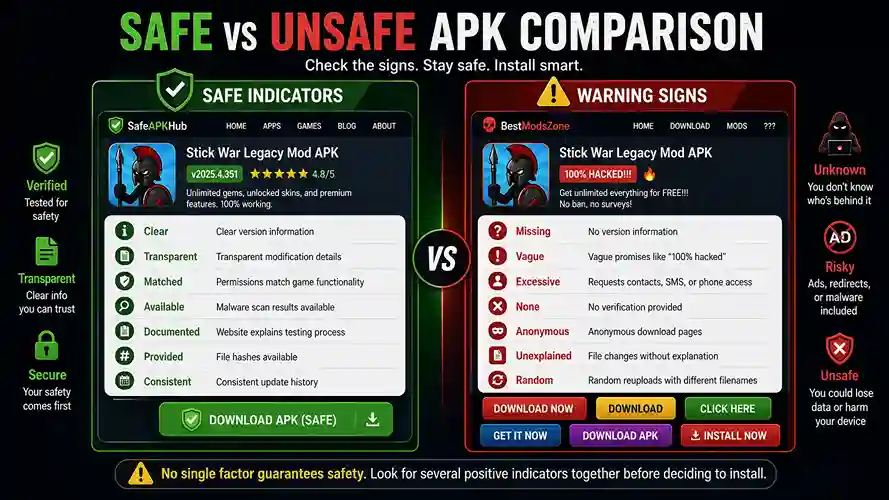
| Safe Indicators | Warning Signs |
|---|---|
| Clear Clear version information | Missing No version information |
| Transparent Transparent modification details | Vague Vague promises like “100% hacked” |
| Matched Permissions match game functionality | Excessive Requests contacts, SMS, or phone access |
| Available Malware scan results available | None No verification provided |
| Documented Website explains testing process | Anonymous Anonymous download pages |
| Provided File hashes available | Unexplained File changes without explanation |
| Consistent Consistent update history | Random Random reuploads with different filenames |
No single factor guarantees safety. Instead, look for several positive indicators together before deciding to install.
My APK Testing Methodology
Every APK discussed on this website goes through a structured verification process before it is recommended. That process includes checks such as:
- File integrity verification
- Permission analysis
- Malware scanning
- Version verification
- Manual installation and gameplay testing
- Comparison against the official release
Rather than repeating the complete methodology here, I’ve documented every step in a dedicated guide. Read the complete walkthrough here: How I Evaluate Every APK Before Publishing: My Step-by-Step Verification Process
That article explains exactly how I review APK files, what tools I use, what VirusTotal can and cannot detect, and why no single scan should ever be treated as absolute proof of safety.
How to Check an APK Yourself
Even if someone else has already tested an APK, performing your own verification is worthwhile. You can check our Stick War Legacy toolkit to check any APK yourself.
Check the Source
Ask yourself: Does the website explain its testing process? Is the version number clearly shown? Does it describe the modifications? Transparency is usually a good sign.
Scan the File
Use multiple scanning engines rather than relying on a single antivirus. Remember that scanning reduces uncertainty — it does not eliminate it.
Review Permissions
Check every permission requested during installation. Offline games rarely need access to sensitive personal data.
Compare Version Numbers
Ensure the APK version matches the release advertised on the download page. Unexpected mismatches deserve caution.
Test Carefully
If possible: use a secondary Android device, monitor unusual battery usage, watch for unexpected network activity, and observe whether the app behaves differently than expected.
What VirusTotal Can and Cannot Tell You
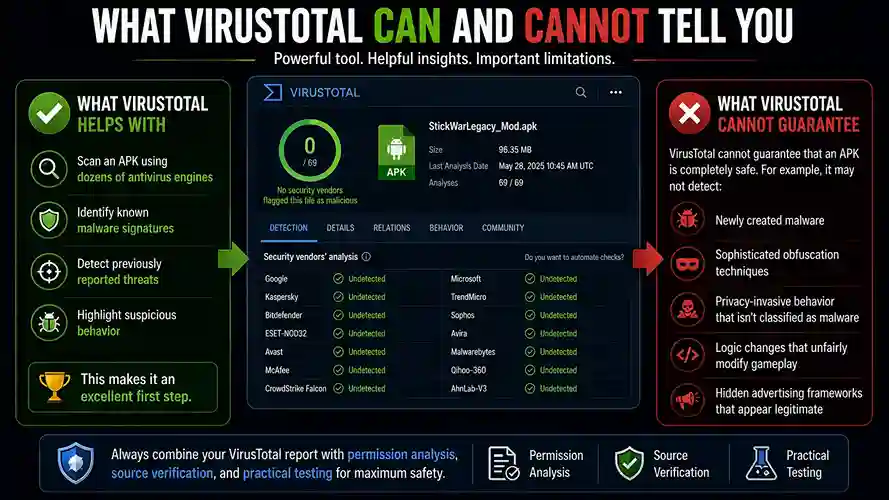
VirusTotal is one of the most valuable free tools available for APK verification. However, it also has important limitations.
What VirusTotal helps with
Scan an APK using dozens of antivirus engines
Identify known malware signatures
Detect previously reported threats
Highlight suspicious behavior
This makes it an excellent first step.
What VirusTotal cannot guarantee
VirusTotal cannot guarantee that an APK is completely safe. For example, it may not detect:
Newly created malware
Sophisticated obfuscation techniques
Privacy-invasive behavior that isn’t classified as malware
Logic changes that unfairly modify gameplay
Hidden advertising frameworks that appear legitimate
That is why a VirusTotal report should always be combined with permission analysis, source verification, and practical testing.
Android Permissions Explained
Permissions provide useful clues about whether an APK behaves as expected.
| Permission | Category |
|---|---|
| Internet access | Usually reasonable |
| Network state | Usually reasonable |
| Vibration | Usually reasonable |
| Wake lock | Usually reasonable |
| Storage (depending on Android version) | Usually reasonable |
| Contacts | Worth investigating |
| SMS | Worth investigating |
| Phone calls | Worth investigating |
| Accessibility Service | Worth investigating |
| Device Administrator | Worth investigating |
| Microphone | Worth investigating |
| Camera | Worth investigating |
| Location | Worth investigating |
Some games have legitimate reasons for additional permissions, but every unexpected request should be understood before installation.
Frequently Asked Questions
Is every unlimited money mod dangerous?
No. Some are well-built and behave exactly like the original game with modified resources. Others contain unwanted additions. Each APK should be evaluated individually.
Can antivirus software detect everything?
No. Modern malware constantly evolves. No antivirus engine offers 100% detection. Using multiple verification methods provides better protection.
Is VirusTotal enough by itself?
No. VirusTotal is an excellent starting point, but it should never be your only safety check.
Can modified APKs steal data?
Potentially. If malicious code has been added, it could attempt to collect information or abuse permissions. That is why permission review and source verification are important.
What’s the safest way to try a modified APK?
If you choose to install one: verify the APK first, check permissions, scan the file, install it on a secondary device whenever possible, and keep Android updated.
Final Verdict
An unlimited money mod is not inherently unsafe, but it does introduce additional trust decisions because it comes from outside the official distribution channel.
The safest approach is to evaluate each APK on its own merits rather than relying on marketing claims like “100% safe” or “virus-free.” Look for transparent version information, reasonable permissions, evidence of malware scanning, and a clearly documented verification process.
If you’re considering installing a Stick War Legacy mod, spend a few minutes checking the file first. That small investment of time can significantly reduce the risk of installing an APK that behaves differently from what was advertised.
For a detailed look at how I personally review every APK before publishing it on this website, see my complete verification guide, where I explain the full testing workflow and the reasoning behind each step.