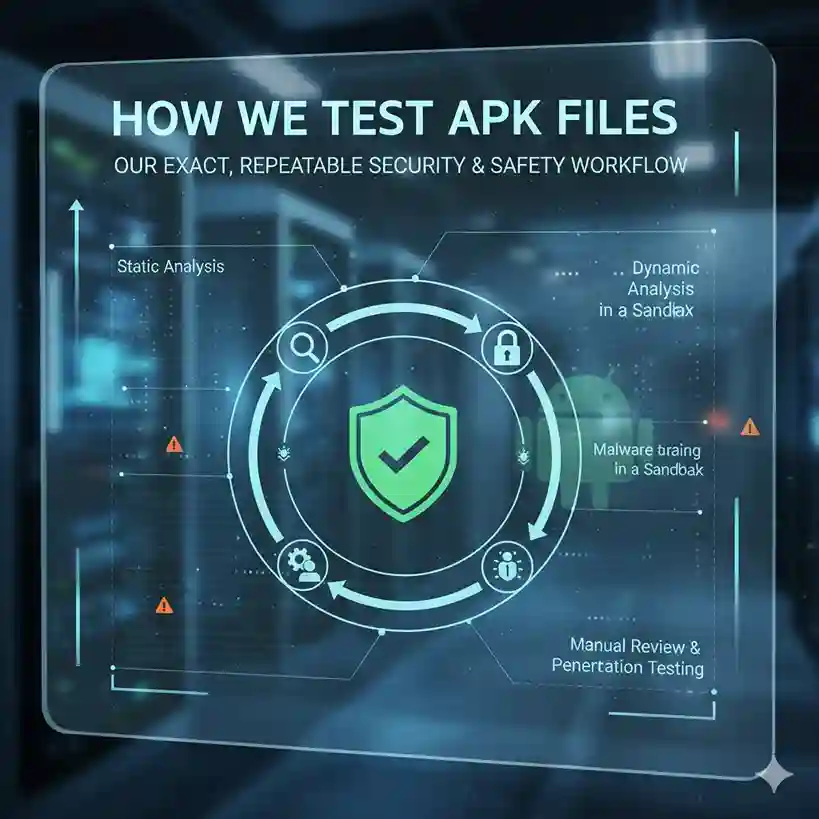
How We Test APK Files — our exact, repeatable security & safety workflow
Before any APK link goes live on this site, I run a consistent, repeatable set of checks — automated scanners, manual permission review, signature + hash verification, and short dynamic tests in an emulator. Each APK gets a clear Risk Rating (Low / Medium / High) and a visible proof block on the download page (VirusTotal screenshot, SHA-256, tested date, summary).
Below I’ll walk you through the exact steps I use, why each matters, and what you can copy to your own download pages.
Reviewer & testers — who runs these checks
I’m George Harrison, the operator of this site. I’ve personally tested dozens of official and modified APKs for Stick War Legacy and other mobile strategy games. My workflow combines static scans (VirusTotal, MobSF), manifest & signature checks, and short dynamic runs inside an isolated emulator network. I publish raw artifacts (VirusTotal screenshot, SHA-256, and adb logcat excerpts) for every tested build so readers can verify results themselves.


Quick glossary
- Static analysis — inspecting the APK file without running it (hashes, certificates, manifest, permissions, included libraries).
- Dynamic analysis — running the APK in a controlled environment (emulator/sandbox) to observe behavior (network calls, files created, processes).
- VirusTotal — multi-engine online scanner that aggregates results from many AV vendors.
- Permission analyzer — tool that lists Android permissions declared in the manifest and flags dangerous ones.
- SHA-256 / file hash — unique fingerprint of the exact file you downloaded; important to ensure the file wasn’t tampered with.

Our testing workflow (step-by-step)
Sanity & storage
– Save the original APK in a quarantine/ folder on an isolated machine (not your daily driver).
– Compute and record hashes:
sha256sum stick-war-legacy-v2026.1.440.apk → record SHA-256
– Record file size and file name exactly as uploaded.
Why: If anything changes later, the hash proves whether the file is identical.
VirusTotal (multi-engine static scan)
– Upload the APK to VirusTotal (or paste the file hash if it’s already known).
– Save a screenshot of the VirusTotal summary and copy the detection ratio (e.g., 3/72 engines flagged).
– Note which engines flagged it and what they called it (adware, trojan, PUA, suspicious).
How we interpret:
– 0/72 — clean (still proceed with permission review)
– 1–3/72 — often false positives for repacked games; inspect vendor names and detections
– 3/72 — treat with caution; escalate to deeper dynamic tests
Place a VirusTotal screenshot on the download page so users can confirm the exact test we performed.
Manifest & permission analysis (static)
Extract the manifest – We use an online permission analyzer to check whether the app requests dangerous permissions.
List all permissions and flag the dangerous ones – LOCATION, SMS, PHONE, READ_CONTACTS, READ_SMS, RECEIVE_BOOT_COMPLETED, REQUEST_INSTALL_PACKAGES, SYSTEM_ALERT_WINDOW, etc.
Compare declared permissions against game behavior expectations – A strategy game should rarely need SMS/CONTACTS/CALL_LOG/BACKGROUND_LOCATION.
How we score:
– Low risk: only game-related permissions (INTERNET, WAKE_LOCK, READ_EXTERNAL_STORAGE / WRITE_EXTERNAL_STORAGE).
– Medium risk: ads/analytics permissions, REQUEST_INSTALL_PACKAGES.
– High risk: SMS, Contacts, Call logs, or SYSTEM_ALERT_WINDOW.
Signature, package name & certificate check
– Verify APK signature:
apksigner verify –print-certs stick-war-legacy-v2026.1.440.apk
– Check the certificate issuer and signing date. Look for unsigned APKs or those signed with debug keys.
– Validate package name — is it the known package used by the official game (or a predictable mod package)? Mismatched or suspicious package names can indicate repackaging.
Red flags:
– APK signed with CN=Android Debug or other generic debug cert.
– Multiple signatures (sometimes used by repackers).
– Certificate issuer unknown or obviously malicious.
Unpack & inspect contents (static)
1. Unzip the APK (unzip stick-war-legacy-v2026.1.440.apk -d stick-war-legacy-v2026.1.440_contents) and inspect:
– lib/ folder for native .so libs (could hide native malware).
– Resources and classes.dex (obfuscated vs readable).
2. Look for included ad SDKs or known aggressive monetization frameworks.
3. Search for hardcoded URLs or suspicious endpoints in strings (grep for http, https, api, paypal, bank, account etc).
If you find native binaries that don’t make sense or clearly malicious-looking strings, flag for dynamic analysis.
Run in isolated emulator & observe (dynamic)
Use an emulator with no Google account and network monitoring (or route emulator traffic through a proxy like Burp or a local tcpdump).
Install the APK and observe:
– Does it request additional permissions at runtime?
– Any immediate network calls? (to unknown domains, IPs)
– Any background services started? Unusual CPU or battery drain?
Capture logs: adb logcat while doing basic flows (start game, open menus, enter battle, exit).
Watch for:
– Unexpected background connections (uploads of device info, contact lists)
– Attempts to download additional payloads from unknown domains
– Creation of files in persistent storage with suspicious names
If dynamic tests show suspicious behavior, quarantine and label as High Risk.
Heuristics & reputation checks
– Check the site/source where APK came from. Known reputable modders? One-off upload?
– Search for user reports on Reddit / X / gaming forums (did others flag malware or bans?). We summarize public reports in the test notes.
– Check whether the APK repackages known open-source adware.
Risk scoring & publish summary
We compute a simple Risk Score (0–100) using weighted criteria:
– VirusTotal detections (40%)
– Dangerous permissions (20%)
– Dynamic behavior (25%)
– Signature & certificate concerns (10%)
– Source reputation (5%)
Translate to label:
– 0–20 → Low Risk
– 21–50 → Medium Risk
– 51+ → High Risk — NOT RECOMMENDED
On the download page we publish:
– SHA-256 hash
– VirusTotal screenshot + detection ratio
What we show on the download page?
Security & test summary (tested: 2026-02-14)
- SHA-256: 222618e8343112cca657f2394f090f85cec4415bab6e386c90661c2933ebb7a1
- VirusTotal: 0/66 (screenshot below)
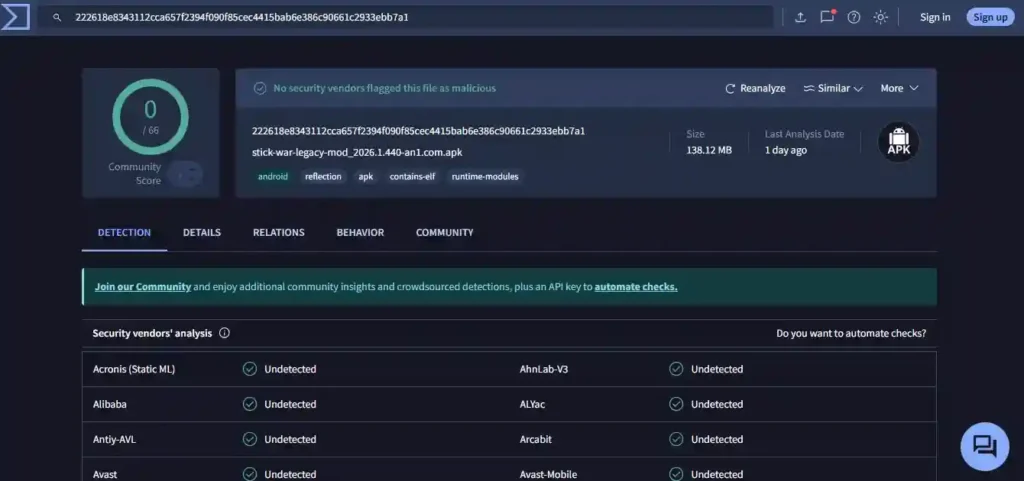
SHA-256: 222618e8343112cca657f2394f090f85cec4415bab6e386c90661c2933ebb7a1
Practical commands & quick tools list
- sha256sum stick-war-legacy-v2026.1.440.apk — compute SHA-256
- apksigner verify –print-certs stick-war-legacy-v2026.1.440.apk — check signature
- Online Permission Analyzer – stick-war-legacy-v2026.1.440.apk — manifest / package info
- unzip stick-war-legacy-v2026.1.440.apk -d tmp — inspect files
- adb install stick-war-legacy-v2026.1.440.apk and adb logcat — dynamic testing
- Tools: VirusTotal, jadx (to decompile classes.dex for inspection), MobSF (Mobile Security Framework) for automated static + dynamic analysis, Burp Suite or mitmproxy for network monitoring.
Common findings & how we handle them
Tips for users (before you install)
- Always check the SHA-256 on the download page against the file you downloaded. If they differ, do not install.
- Prefer installing on a secondary device or emulator first.
- Use Play Protect / a mobile AV if you must run on your main device.
- Don’t grant SMS/Contacts permissions to a game — if asked, uninstall immediately.
- Back up device data before testing unknown APKs.
My personal notes & examples (first-person testing notes)
“When I tested the “stick-war-legacy-v2026.1.440.apk” (example), VirusTotal returned 0/72 detections — no issues detected. The manifest showed the stick war legacy APK was signed with a debug key. In emulator tests I saw no ads (as claimed by mod apk), and no outbound uploads of device contacts or SMS. Final rating: Low (no sensitive data access). I published the detailed log and screenshots on the download page so users could see the raw evidence.“
Including first-hand test notes like the one above builds trust — we always show the raw artifacts (screenshot, log excerpt) so users can audit our work.
Community feedback & reported issues — what players are saying
We monitor community discussions (Reddit, Discord threads, comments under mod posts) so our Risk Ratings reflect both lab tests and real-world user reports.
- Several community threads warn that some mod distributions can contain trojans or harmful payloads, and moderators regularly debate whether advertising mod downloads should be allowed because of those risks.
- Players also ask frequently where to safely obtain mods and often advise testing in an emulator first rather than trusting a random download.
- Finally, many public mod-hosting pages advertise “clean” or “virus-free” builds—but community signals remain mixed and users commonly recommend caution. (See examples in the Reputation Snapshot below.)
How we use community feedback: when we find user reports mentioning malware, bans, or suspicious behavior for a specific build, we treat that build as a higher priority for dynamic analysis and list the public reports in the test notes on the download page.
Third-party reputation snapshot
- Mod hubs & blogs: Many sites host or mirror mods and present the download as “working” or “clean.” Example pages advertising the same SWL mod include claims of “no viruses” and unlimited gems. These pages exist at scale and require independent verification.
- APK aggregators: Some aggregator sites list mods and include their own “safety” badges (for instance, third-party rating widgets), but those badges are not uniform and can be misleading. Always cross-check with VirusTotal and forum threads.
- Community platforms (Reddit / forums): Community threads often contain quick warnings and practical tips (e.g., “don’t install from site X, test in emulator first”). Community moderators sometimes remove mod advertisements for safety reasons.
Bottom line for readers: third-party “safe” claims should never replace a reproducible test (hash + VirusTotal + dynamic checks) and community triangulation.
Case studies — public reports we referenced
Below are short, public case studies we reviewed while researching mods in this niche. These are summaries of community posts and public mod pages (linked below) that influenced our test priority.
- Moderator warning about trojans in mod advertisements — A subreddit moderator explicitly discussed the risk of trojans and whether mod advertising should be allowed, which highlights that even community moderators see safety as a genuine concern. We treat moderator warnings as a red flag and escalate testing for flagged builds. (Reddit)
- “Where can I safely download?” threads — Multiple players ask for safe sources and receive mixed answers; common advice is to test in an emulator and verify hashes because no single third-party site is universally trusted by the community. We mirror that advice in our testing SOP. (Reddit)
- Aggregator claims vs community skepticism — Several aggregator pages publish recent mod releases with “clean” claims; community posts occasionally contradict these claims with warnings about specific hosts. That mismatch is why we publish raw evidence (screenshots, logs) alongside our rating. (Community Players)
FAQs – How we Test APK Files
Conclusion — Our Position
Mod APKs exist in a risk spectrum. Some are clean modifications, some contain aggressive adware, and some are outright malicious. Claiming all mods are safe would be dishonest, but claiming all are malware is inaccurate. Our approach is evidence-based: we publish hashes, testing dates, scan results, and behavioral observations. Security is never guaranteed, but transparency is.
We do these tests for all the APK files available to download at our website, including the Stick War Legacy, Stick War Saga, and Stickman Legends.

George Harrison
Last Updated: July 2026
George is a long-time strategist of the Stick War series, with a focused expertise in Crown of Inamorta campaigns and Weekly Missions on Insane difficulty. His approach is practical, built on extensive hands-on testing rather than theory. Every guide reflects hundreds of hours of direct unit control, repeat mission runs, and feedback from active players who test strategies in real gameplay conditions.
Disclaimer: The MOD files referenced on this site are discussed strictly for analysis of gameplay mechanics, balance changes, and strategic experimentation. The intent is to evaluate technical behavior and in-game impact — not to promote unfair competitive use. Players are encouraged to support Max Games Studios by playing the official version and to use modified builds responsibly, in offline environments and at their own discretion.